
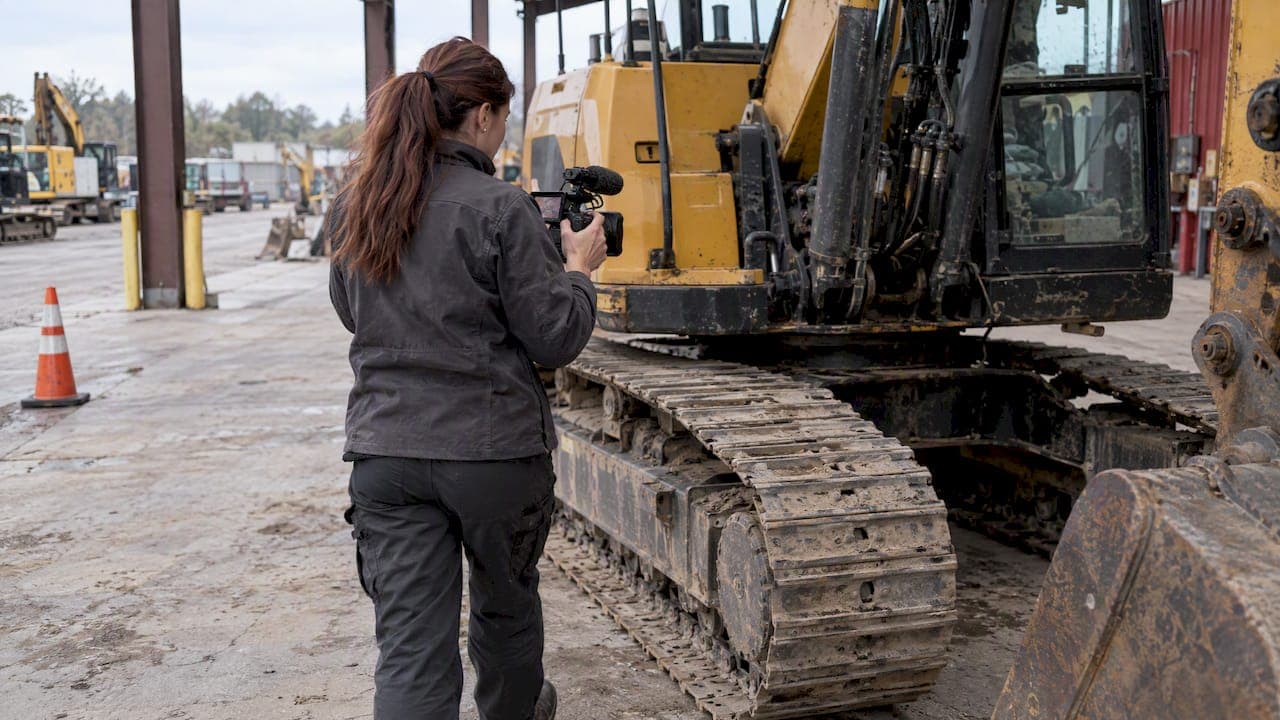
An equipment listing video is a short, honest recording of one specific machine: a walkaround of all sides, a cold start, the controls and the machine working. It answers the questions photos cannot, such as how the engine sounds, how the hydraulics respond and how worn the undercarriage really is. This guide covers what to prepare, what to film, how to do it safely and how to edit and publish without hiding anything a buyer needs to know.
TL;DR
- Film one unit per video: all four sides, the serial plate, the hour meter, a cold start and the machine operating.
- Prepare first: clean the machine, gather service records and plan the operating demonstration with a competent operator.
- Shoot landscape, move slowly, avoid backlight and keep background noise down so the engine is audible.
- Edit lightly. Never splice clips to imply continuous performance or cut out a known issue.
- Upload the video to your listing alongside 15 to 20 photos and a full specification.
Table of Contents
- Why a video belongs in every heavy equipment listing
- What to prepare before you film
- The shot list: what an equipment listing video should show
- Filming safely: demonstrating operation without creating a hazard
- Getting steady footage with clear sound
- Length, format and file size
- Editing without hiding the truth
- Publishing: where the video goes
- Where to list your machine
- Our perspective: video is part of the condition report
- FAQ
- Sources
Why a video belongs in every heavy equipment listing
A used excavator, truck or loader is a large purchase that buyers often make without standing next to the machine. Video closes part of that gap. A walkaround or footage of the machine operating can make an online buyer feel they are looking at the item in person, and showing wear and imperfections openly builds that confidence rather than damaging it.
Buyers are already used to evaluating remotely. CONEXPO-CON/AGG advises contractors who shop through virtual dealerships to look for comprehensive photos and cold-start videos when assessing equipment from a distance. A listing without them asks the buyer to take more on trust than a listing with them.
Video also saves you time. A walkaround lets the buyer hear the engine, watch the machine work, see wear and compare the real unit with the listed specifications. Buyers who watch it and still call tend to be serious, and they arrive with fewer basic questions.
The habit of buying and selling equipment through online classifieds is not new. A survey of U.S. farmers by Ohio State University, reported by Farm Equipment, found that 55% of prospective buyers and 71% of prospective sellers said they might consider internet classified ads in the future. That survey dates from 2010, and online listings are now routine. The expectation that a listing shows the machine in motion has grown with them.
What to prepare before you film
The best footage is decided before the camera comes out. Spend an hour on preparation and the shoot itself takes minutes.
The machine
- Clean it. Wash off mud and grease where it hides nothing important. Do not clean away evidence of a leak you know about, because the buyer will find it on inspection and the sale will suffer.
- Position it. Park on level, open ground with room to walk fully around the unit and with the sun to the side or behind you, not behind the machine.
- Fuel and fluids. Check levels so the machine can run through its full range of functions without interruption.
- Let it sit cold. If you want to show a cold start, do not run the machine that morning. A warm engine hides starting problems, and experienced buyers know it.
The paperwork
Document identity and history before you start. Equipment World's used-backhoe inspection guidance, quoting an IronPlanet pricing analyst, recommends recording the serial number and documenting notable machine areas, previous applications, recent repairs or rebuilds and available maintenance records. Have those records in hand so you can mention them on camera and match them to the listing text. Contractors in other trades follow the same discipline, and a look at what a snow plow contractor keeps in the truck shows how equipment identity and service logs travel with the vehicle.
The operator and the plan
Decide in advance what the machine will do on camera and who will do it. The Asset Disposal Guide recommends that a demonstration identify the asset, date, activity and limits, use an authorized, competent operator and agree the permitted scope before filming. Write the plan as a short list on paper, then work through it in order.
The shot list: what an equipment listing video should show
A good shot list is predictable, and that is the point. Buyers watching their fifth listing of the evening want to find the same information in the same order. A guideline from High Performance Packaging for customer videos says to film all four sides, key operating areas, control panels, compartments, specifications and features and to show every point of action when the equipment is running. That approach carries over to heavy equipment. A practical order:
- Opening frame. Machine make, model and year, spoken or on a sign. State the hour meter reading while the display is in frame.
- Walkaround, all four sides. Slow and continuous. Pause at tires or tracks, cutting edges, the bucket or attachment, glass and any damage.
- Identification. The serial number plate, close enough to read.
- Cab and controls. Seat, joysticks or levers, gauges, display screens, warning lights with the key on.
- Engine bay and compartments. Open the hood and covers. Show fluid levels, hoses and visible leaks or lack of them.
- Cold start. Key on, start, idle. Let the audio run for several seconds without commentary.
- Operation. Every function in turn: boom, stick, bucket, swing, travel, steering, brakes or lift, depending on the machine.
- Wear and flaws. Show them openly, at the end of the walkaround or where you meet them.
- Closing frame. Location, asking price if you publish one, and how to reach you.
Show the machine the way a buyer would inspect it
Think of the video as the first stage of an inspection. Our used excavator walkaround guide lists what buyers look for in person, and your video should let them check the same points from a distance. If a buyer can tick off undercarriage, pins and bushings, cylinders and hydraulic hoses from your footage, you have done the first round of the inspection for them.

Standardized inspection tools point the same direction. Equipment World reported in March 2025 that one inspection app lets users combine high-resolution photographs, 360-degree video walkarounds and voice notes, including hour-meter and paint-condition observations. You do not need special software, but the principle holds: images, motion and spoken notes together give the fullest picture.
What the cold start proves
The cold start is the most trusted clip in the video. It shows how the engine fires, how long it takes, whether there is smoke and how the machine sounds at idle. Do not edit it, do not talk over it and do not run the machine beforehand. A seller who is happy to show a cold start is signaling that there is nothing to hide.
Filming safely: demonstrating operation without creating a hazard
A machine operating on camera is a machine operating, with all the risks of normal use plus the distraction of filming. Keep the camera person out of the work zone, and treat the demonstration as a work task, not a photo opportunity.
OSHA's crane safety video and transcript emphasize that heavy-equipment operations must control struck-by and swing-radius hazards, keep unauthorized people out, use barricades where needed and require an all-clear signal before movement. The material is about cranes, but the same controls apply to excavators, loaders and trucks on a sale lot.
In practice:
- Use an operator who is authorized and competent on that machine, not whoever happens to be holding the phone.
- Mark the swing and travel area with cones or barricades and keep everyone, including prospective buyers and staff, outside it.
- Agree a signal for starting and stopping, and give the all-clear before any movement.
- Film from a fixed position outside the working radius. Do not walk backward toward a moving machine to get a better angle.
- Keep the demonstration within what the machine can safely do. Do not lift to rated capacity or push the machine to show off.
Also be honest about what a clip can prove. The Asset Disposal Guide cautions that a short video cannot prove every function, future performance or safe condition. Say in the listing that the video shows the machine on a specific date and invite the buyer to inspect it in person or through a third party.
Getting steady footage with clear sound
A recent smartphone is enough. What matters is technique.
- Shoot landscape. Horizontal framing fits the listing page and a computer screen. The High Performance Packaging guideline recommends landscape framing and slow, smooth camera movements.
- Walk, do not zoom. The same guideline advises moving closer rather than using the phone's digital zoom, which reduces image quality. For a serial plate, step up to it.
- Avoid backlight. Keep the sun behind you or to the side. When the machine is in shadow, such as inside a shop, add lamps rather than relying on the phone to compensate.
- Control sound. Turn off radios and unnecessary fans, and ask staff to hold off on impact wrenches and loaders nearby. Buyers listen to engine, hydraulics and any knocking.
- Hold steady. Use both hands, tuck your elbows in and move at a slow walking pace. A small gimbal or tripod helps for fixed shots such as the cab and the serial plate.
- Clean the lens. A wiped lens is the cheapest quality upgrade available on a job site.
All of these tips come from the same practical guidance, and none of them requires special equipment. For a dealer filming dozens of units a month, the biggest gain is consistency: same route around the machine, same order of clips, same lighting conditions.
Length, format and file size
There is no official standard for how long an equipment listing video should be, and the sources we reviewed give no hard figure. Our own working guidance, based on how our sellers and buyers use listings, is this:
| Video type | Suggested length | Purpose |
|---|---|---|
| Quick walkaround | About 1 minute | Gives the buyer the overall condition and key features |
| Full condition video | 3 to 6 minutes | Adds cold start, controls, every function and wear |
| Complex machines (cranes, large trucks) | Longer, split into chapters or several clips | Separates cab, engine, operation and attachments |
Our guide to selling an excavator fast recommends 15 to 20 photos and a one-minute video as the minimum package. Start there, then add a longer condition video when the machine is worth the extra effort.
For format, shoot at 1080p or better in landscape, export as MP4 and keep the file small enough to upload to your listing quickly. Check the upload limits on the platform you are using, and if a file is too large, publish it to a video hosting site and add the link to your listing description.
Editing without hiding the truth
Editing should make the video easier to watch, not different from what happened. The Asset Disposal Guide offers a clear rule: trim irrelevant waiting only if the result still represents the activity honestly and any material omission is clear.
What that means in practice:
- Allowed: cutting dead time between clips, trimming a long warm-up, adding a title card with make, model, year and hours, and adding captions.
- Not allowed: splicing events together to suggest the machine ran continuously, removing a known issue while presenting the video as a complete demonstration, or adding music that covers engine sound.
- Keep the original. Store the raw recording and make sure the edited version can be traced back to it. If a buyer ever disputes what the video showed, the original settles it.
If you point out a known flaw, such as a leaking cylinder or a cracked window, in the video, the buyer sees a seller who is straightforward. That seller is easier to deal with and gets fewer price renegotiations at pickup.
Publishing: where the video goes
Put the video at the top of the listing, next to the photos, and mention it in the first lines of the description. Repeat the key facts in text, since search and filters read text and not footage: make, model, year, hours, serial number, location and condition notes. Our equipment listing template with an eight-photo checklist gives dealers a ready structure for this.
Dealers with large inventories should also build the video into their data workflow. Our guide to inventory feed setup for heavy equipment dealers explains how to map fields and run checklists so every unit carries its media consistently.
After posting, reuse the video. Share it by email with buyers who have already asked about the machine, and attach it to quotes. A link to a single unit's video answers the first three questions a buyer will ask.
Where to list your machine
A video helps only if the right buyers see the listing. Sostruckforsale is a classified marketplace built for commercial vehicles and industrial equipment, with categories covering construction equipment, trucks and trailers, material handling, agriculture, forestry and grounds care. Buyers filter by category, subcategory, price and country, and dealers can register to post their inventory under a business profile.
If you have a machine ready to film, post the listing with its video, photos and specification on Sostruckforsale and reach buyers who are already searching for equipment like yours.
Our perspective: video is part of the condition report
At Sostruckforsale we see listings every day, and the pattern is consistent. The listings that look finished share a few traits: a full set of photos, a precise specification, a serial number, and footage that shows the machine running. Sellers who treat the video as a condition report, not as advertising, tend to field better inquiries.
Our advice to dealers is simple. Make the video repeatable, so that every unit in your yard gets the same route and the same clips. Show the flaws yourself. Never edit in a way that you would not be comfortable explaining to the buyer on the phone. A buyer who has watched an honest video arrives at the inspection already informed, and that makes the negotiation shorter and the paperwork easier.
A video does not replace an inspection, and it should not try to. It earns the second conversation.
— Dave
FAQ
How long should an equipment listing video be?
For most machines, about one minute covers the overall condition and key features, and three to six minutes gives a full condition video with a cold start and every function. There is no official standard, so match length to the machine's value and complexity. Split long videos into labeled clips so buyers can jump to what they need.
Can I film a listing video with a smartphone?
Yes. A current smartphone is enough when you shoot in landscape, move closer instead of zooming digitally, avoid backlight and keep background noise low. A tripod or small gimbal helps with steady shots of the cab and the serial plate.
Should I show defects in the video?
Yes. Showing wear and imperfections openly helps an online buyer trust the rest of the listing. Mention known issues on camera and in the listing text, and keep the original recording in case a buyer asks what the video showed.
Is it safe to operate the machine while someone films?
It is safe only when you plan for it. Use an authorized, competent operator, keep everyone out of the swing and travel area, use barricades where needed and give an all-clear signal before any movement. The camera person should stay outside the working radius.
Sources
- 5 Tips to Maximize Your Profits from Selling Construction Equipment on eBay, For Construction Pros
- Virtual Equipment Dealerships Explained, CONEXPO-CON/AGG
- OSU Used Farm Machinery & Equipment Survey, Farm Equipment
- Why Video Walkarounds Matter When Buying Used Equipment Online, Mico Equipment
- Inspection Checkpoint: How to inspect a used backhoe, Equipment World
- Krank launches Inspeq, an AI-powered equipment inspection app, Equipment World
- Crane Safety Awareness For Site Superintendents, OSHA
- Making a useful equipment demonstration video, Asset Disposal Guide
- Customer video guides, High Performance Packaging