
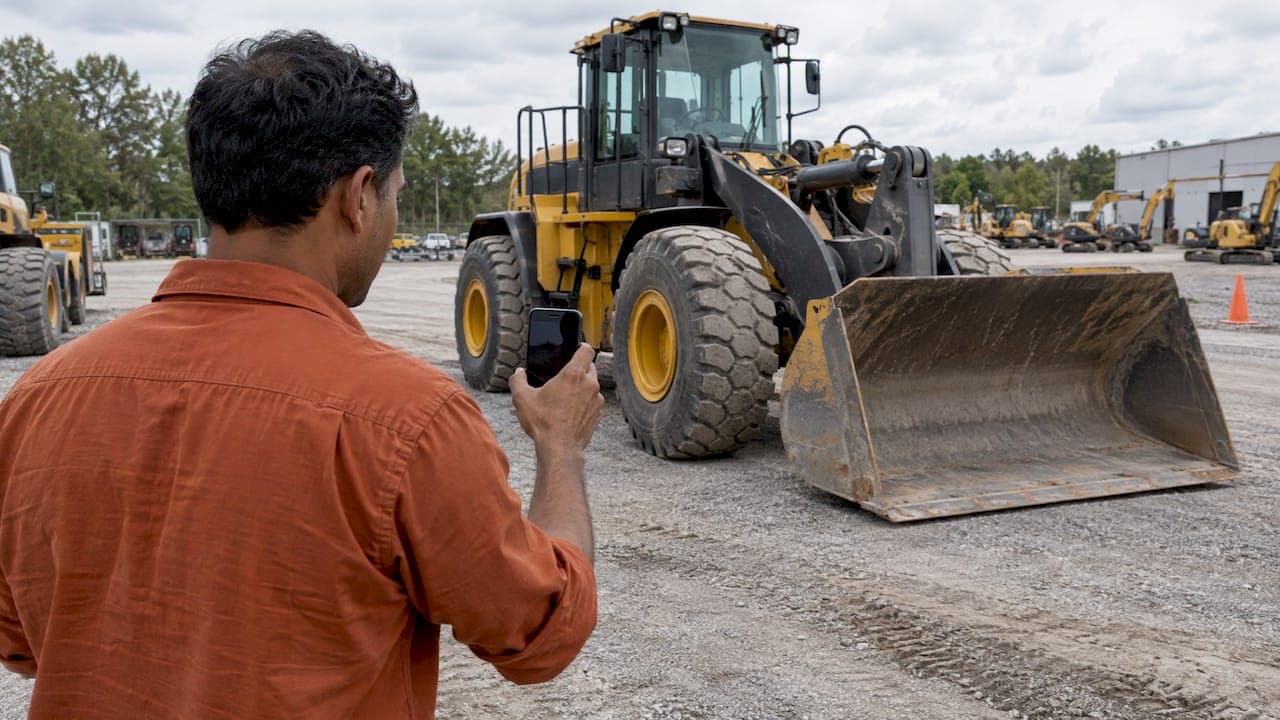
An equipment video walkaround is a continuous, unedited recording of a machine as it stands today: the outside, the cab, a cold start, the controls working and the wear points up close. Done well, it lets a buyer judge condition from a distance and lets a seller answer the first questions before anyone picks up the phone. This guide covers how to prepare, what to film, how long to run it and how buyers should read what they see.
TL;DR
- Film one continuous walk around the machine, then the cab, then a cold start and a working cycle. Keep it unedited so buyers trust it.
- Wash the machine first, park it with room to move, and have a backup unit ready in case your first choice sells.
- Show the hour meter, serial plate, undercarriage or tires, cylinders, hoses, leaks and any damage. Say what you see out loud.
- Aim for roughly one to four minutes for the main walkaround. Add a longer clip only for a second, detailed look.
- Buyers: treat the video as a screening step. It narrows the field before you pay for a formal inspection.
Table of Contents
- What a walkaround video is and why buyers rely on it
- Prepare the machine before you press record
- The route: how to walk the machine
- What to show: parts and condition details
- Adapt the walkaround to the machine type
- Narrate, light and sound
- How long should the video be?
- Safety while filming
- How buyers should watch a walkaround
- Our perspective
- List your equipment with a video walkaround
- FAQ
- Sources
What a walkaround video is and why buyers rely on it
Photos show a machine at its best angle. Video shows how it sounds, moves and behaves. One equipment guide for dealers puts it plainly: seeing and hearing equipment function properly is a big selling point when a buyer evaluates it.
A useful walkaround covers a few things in a set order:
- The exterior from every side, so nothing is hidden.
- The cab interior, including the monitor, gauges and hour meter.
- A cold start, with the engine heard from the first crank.
- The machine working: boom, stick and bucket on an excavator, lift, tilt and dump on a loader, steering and travel on a truck.
- Close-ups of the wear items and any damage.
For a buyer in another state, this replaces a long trip for a first look. For a seller, it works as the first sales conversation. Buyers who see a machine honestly presented tend to ask sharper, more serious questions, and they waste less of your time.
Prepare the machine before you press record
Most weak walkaround videos fail before filming starts. The machine is dirty, parked against a wall or sitting in poor light, and the seller improvises.
Wash it and stage it
Clean the machine thoroughly. Dirt hides leaks, cracks and weld repairs, and a buyer who suspects something is hidden will assume the worst. One remote-inspection guide advises cleaning so the frame, cylinders and undercarriage are visible, because grime can cover leaks or damage.
For heavily soiled or oily equipment, industrial dry ice cleaning is one way to remove grease and carbon buildup without water or chemicals. A pressure wash and degreaser handle most used machines.
Then move the unit to open ground. If possible, use a large space with room to walk fully around the equipment and adequate lighting to see all features. Overcast daylight is better than hard midday sun, which throws black shadows under the machine.
Plan the shoot day for several machines
If you are filming a whole yard, lock in the list in advance. A dealer video production guide recommends naming a backup for each machine and agreeing who washes and positions them, so a unit that sells before the shoot does not leave a gap in the schedule.
A short prep list:
- Fuel and fluids topped off so the machine can run for the whole clip.
- Machine cold. Do not start it in the morning before the camera is rolling.
- Attachments, keys and any manuals within reach.
- Hour meter and serial plate wiped clean and readable.
- Fans and neighboring machines switched off to cut background noise.
- A walk-through of the route so you know where you will stand.
The route: how to walk the machine
Pick a route and use it on every machine. Consistency makes your videos easy to compare, and it keeps you from forgetting a side.
A reliable sequence:
- Wide opening shot. Machine name, year, make and model, and where it is parked.
- Slow circle. Walk slowly and record all sides of the unit, starting at the front left and working clockwise.
- Close-ups on the wear points. Tires or track assembly, pins and bushings, cylinder rods, hoses, bucket edge or forks.
- Engine bay and fluids. Open the doors, show the oil and coolant levels and any residue.
- Cab. Seat, controls, glass, monitor, safety belt, hour meter and serial plate.
- Cold start. Key on, crank, idle. Let the sound run for a few seconds.
- Working cycle. Run every function the machine has, then travel a short distance.
- Closing shot. Repeat the hours and model, and say how a buyer reaches you.
Walk slower than feels natural. Hold each close-up for a few seconds so a viewer can pause and look. A phone on a gimbal is enough; the steady pace matters more than the camera.
What to show: parts and condition details
Buyers scan for the same things on every machine. Put them on camera before they have to ask.
A dealer-side guide summarizes the core list: engine starting and running under load, hydraulics, undercarriage wear, cab controls and gauges, plus red flags such as leaks, rust or jerky movement. Do not edit those out. A video that shows honest wear builds trust and prevents post-purchase surprises.
For a more structured list, a heavy equipment inspection template from Rubbl breaks an inspection into general info, safety walkaround, pre-startup, cab interior, startup, powertrain, undercarriage and exterior, and attachments. You can borrow that order for your script.
| Area | What to show | What the buyer learns |
|---|---|---|
| Identification | Serial plate, hour meter, year, make, model | The machine matches the listing |
| Exterior and frame | All sides, welds, paint, glass, grab bars | Past damage, repairs, rust |
| Cylinders and hoses | Rods, seals, hose ends, fittings | Leaks, scoring, weeping |
| Undercarriage or tires | Rollers, sprockets, track, tread, sidewalls | Remaining life, cost of replacement |
| Engine bay | Fluid levels, belts, air filter, batteries | Maintenance quality |
| Cab | Seat, controls, monitor, belt, HVAC, alarms | Operator condition and fault codes |
| Cold start | Crank, smoke, idle stabilization | Engine health |
| Operation | Full function cycles, travel, brakes | Hydraulic response and control feel |
| Attachments | Bucket edge, forks, quick coupler, serial | Included equipment and wear |
A cold start is the single most revealing minute of the video. It can expose hard cranking, smoke and how long the idle takes to settle. Never film a start on an engine that has already been warmed up and call it cold.
Error codes, serial numbers and parts compatibility
Show the serial plate and any engine tag clearly. Buyers use that data to confirm the model, check service history and order wear parts. If the machine runs a Yanmar engine, for example, a clear engine tag lets a buyer source genuine Yanmar replacement parts with confidence about fitment. Specific, readable identification removes a whole round of emails.
Adapt the walkaround to the machine type
The route stays the same. The emphasis changes.
Excavators
Show a cold start, boom, stick and bucket cycles, swing in both directions and close-ups of the hour meter and serial plate. Track wear, pin and bushing play and the undercarriage need extra time. For the buyer's side of the same checklist, see our used excavator inspection guide, and for a seller's photo and video plan, see how to sell an excavator fast.

Wheel loaders and skid steers
Show lift, tilt and dump through the full range, the articulation joint or steering, tire condition and the bucket cutting edge. Run the loader against load if you safely can. Our notes on used wheel loader inspection list the deal breakers buyers look for, and the skid steer inspection guide covers rollover-related checks for operators.
Semi trucks and trailers
Film the cab interior, dash with warning lights off, sleeper, fifth wheel, tires with tread, frame rails, air system and the engine at idle. For a truck, the photo set matters as much as the video, so pair it with a set of auction-grade truck listing photos.
Agricultural and compact machines
Highlight model-specific features. A dealer video guide gives the examples of a compact tractor's loader and the ease of hitching implements, or a header's front, unloading auger and cab. Show the PTO, hitch, hydraulic couplers and any implement included in the sale.
Narrate, light and sound
Talk while you walk. Name what you are showing and report what you see, including flaws: "Light seep at the stick cylinder, here." Use plain words and the machine's real numbers.
Who should speak? The better presenter is usually a knowledgeable sales rep or product specialist, not a polished voiceover, because buyers hear authenticity. The person who knows the machine best should be the voice.
A few practical rules:
- Keep the camera at chest height and steady, with horizontal framing.
- Record in daylight when possible. Use auxiliary lighting inside the cab or engine bay.
- Turn off fans and nearby equipment so the engine sound is clean.
- Let the engine run silently for a few seconds on camera. Buyers listen for knocks and ticks.
- Keep your hand out of the way of the lens at close-ups.
How long should the video be?
Short and complete beats long and padded. Industry guidance on dealership video says informative walkaround videos can run one to four minutes, with some dealerships reaching 80 to 90 percent completion rates. That source describes vehicle dealerships, but the viewing habit carries over: a viewer finishes a tight video.
A workable approach for heavy equipment:
- Main walkaround: about two to four minutes, covering the full route.
- Cold start clip: its own short clip, unedited.
- Detail clips: undercarriage, cylinders or cab, each 30 to 60 seconds, for buyers who want more.
Put the main video first in the listing and label the clips so a buyer can jump to the one they want. Our guide to equipment listing video goes deeper on structure, and the equipment listing template shows where video belongs next to the photo checklist.
Safety while filming
A walkaround involves running machinery and people on a working yard. Agree before the shoot where the camera operator can stand, how the crew communicates with the operator and what they can and cannot drive.
Some basics:
- Keep the camera person outside the swing radius and out of blind spots at all times.
- Use hand signals or radios, and confirm them before the engine starts.
- Chock wheels, lower attachments and set the parking brake before anyone approaches the machine.
- Do not film while walking backward near moving equipment.
- Only a trained, authorized operator runs the machine.
The manufacturer's own inspection list is a good model for the walk around. Caterpillar's safety and maintenance inspection guide tells operators to make a thorough visual check at the start of every shift or every 10 hours, covering tires, undercarriage, hoses, belts, handholds, mirrors, extinguisher, lights, gauges and the controls. That guide is written for large mining trucks, but the habit of checking everything in order applies to any machine. A wellsite walkaround checklist covering ground inspection, fluids, engine bay, cab, attachments and safety-system tests is another way to structure the route.
How buyers should watch a walkaround
A video is a screening tool. One buyer-focused source says a walkaround should eliminate unsuitable machines before you pay for a formal, third-party inspection. Use it that way.
Watch for:
- A hour meter and serial plate that match the listing.
- A cold start, not a warm engine.
- Fresh paint over specific areas, which may cover repairs.
- Leaks at cylinders, hose ends and the engine.
- Jerky or slow movement during hydraulic cycles.
- Uneven wear on tracks, tires, bucket edge or pins.
If the seller's video skips something, ask for it. A buyer guide recommends asking for a walkaround video, close-ups of the undercarriage, cylinder rods and hour meter, and a cold startup clip rather than relying on listing photos. A seller who shows everything, including cold starts and critical components close-up, signals confidence in the machine.
Before you wire money on a large machine, arrange an in-person or third-party inspection and confirm title, liens and serial numbers.
Our perspective
We see the same pattern across heavy equipment listings: the ads that get serious inquiries are the ones that answer the buyer's first questions before the buyer asks them.
A walkaround video does that. It shows the machine as it is, in one continuous take, and it lets a buyer who is hundreds of miles away judge condition, sound and movement. We built our marketplace for industry professionals, with listings sorted by category, subcategory, price and country, so a clear video sits next to the specifications and the dealer's contact details where the buyer is already looking.
Our advice to dealers is simple. Film every machine the same way, show the hours and serial plate, start it cold and say what you see. Pair the video with a strong photo set and a complete description, and a listing does the work of a first sales call.
Dave
List your equipment with a video walkaround
If you sell construction equipment, trucks and trailers, material handling machines, agricultural, forestry or grounds care equipment, Sostruckforsale gives your listing a dedicated classified space built for industry buyers. Dealers can register for the business directory, and buyers can filter listings by category, subcategory, price and country.
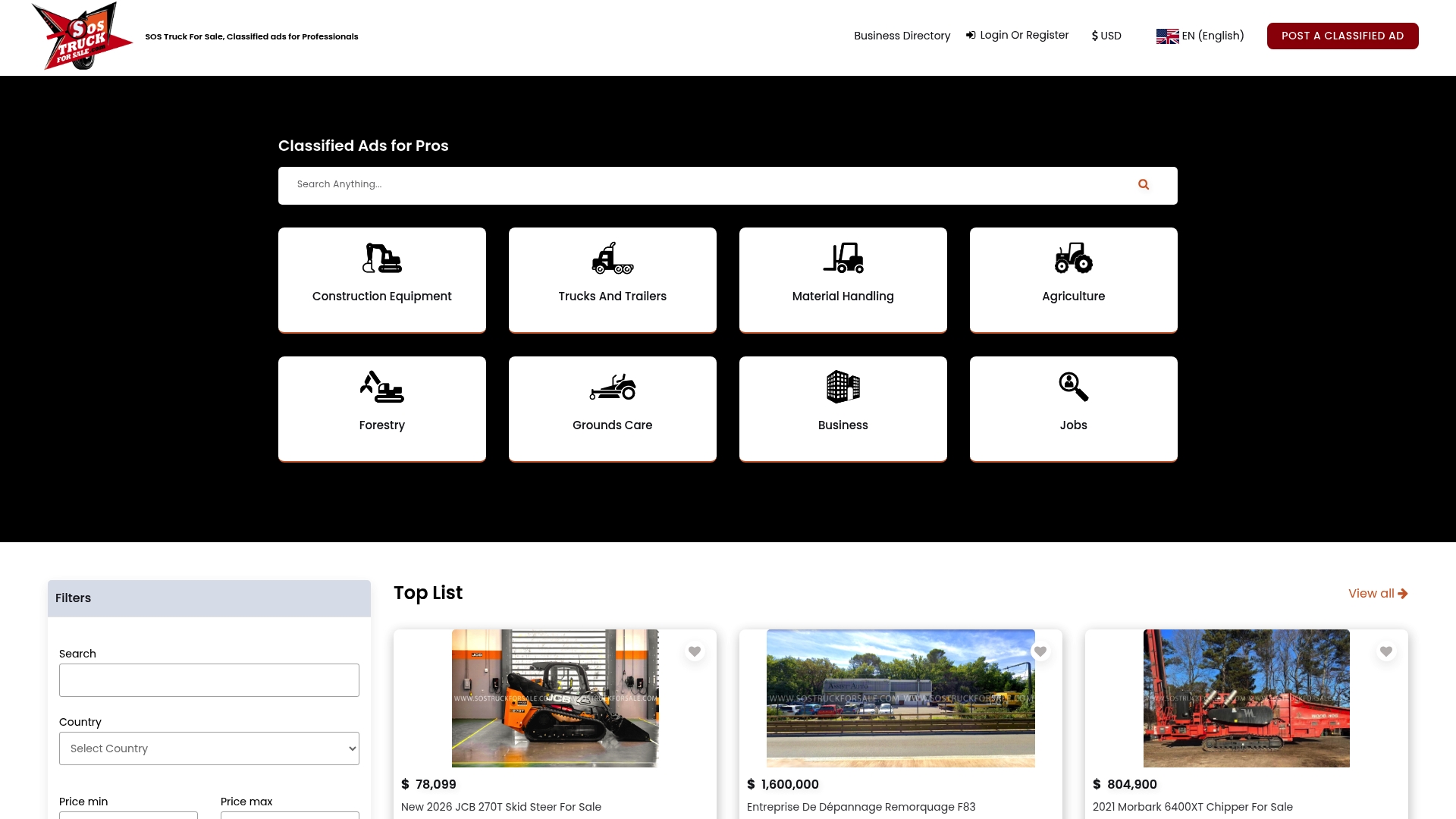
Film your walkaround using the route above, then post it with your photos and specifications on Sostruckforsale. Buyers browsing the category you list in will find your machine, its video and your contact details in one place.
FAQ
How long should an equipment walkaround video be?
Plan on about two to four minutes for the main walkaround. Industry guidance on dealership video points to one to four minutes as a range viewers finish. Add separate short clips for the cold start and any close-up detail so buyers can choose what to watch.
Should I edit the video or film it in one take?
Film the walkaround as one continuous, unedited take. Buyers trust footage that shows the real condition, and cuts make them wonder what was left out. You can add a title card with the model and year, but keep the machine footage untouched.
What is the most important thing to show on camera?
Show the hour meter, the serial plate and a true cold start. Those three items confirm identity, usage and engine health faster than anything else. After that, cover the undercarriage or tires, cylinders and hoses, and the machine working through each function.
Can a walkaround video replace an inspection?
No. A video helps a buyer screen out machines that do not fit, and it saves travel. For a major purchase, follow it with an in-person or third-party inspection before you pay.
Do I need professional equipment to film a walkaround?
No. A recent smartphone, steady hands and good daylight are enough. Walk slowly, hold close-ups for a few seconds and keep fans and nearby machines off so the engine sound is clear.
Sources
- VideoGuide: How To Video Equipment
- Remote machinery inspection guide
- Machinery dealer video production
- Why video walkarounds matter when buying used equipment
- Why video walkarounds matter, honest condition
- Rubbl inspections overview
- Used excavator video inspection
- Shoot professional quality videos with a smartphone
- Caterpillar safety and maintenance inspection guide
- Wellsite heavy equipment walkaround checklist
- How to buy used heavy equipment online with confidence
- Genuine Yanmar parts
- Industrial dry ice cleaning